
Skip to Content (Press Enter)


  • Academic Calendar
  • Transcripts
  • Testing
  • Instructors
  • Scholarships
  • Continuing Ed.
  • Give to Washburn Tech
  • MyWashburnTech
  • D2L
  • Apply Now
Washburn Tech logo
Close Menu
  • About Us
    • History
    • Core Values
    • Leadership
    • Program Instructors
    • Maps & Directions
    • Business & Community
  • Admissions
    • Meet your recruiters
    • Registrar & Transcripts
    • Testing Services
    • Serving our Veterans
    • Tech Accommodations
    • Residential Living
    • Transition to Washburn
    • Letter of Intent
    • Adult Education (GED)
  • Find Your Program
    • Credit Programs
    • Apprenticeships
    • Adult Education
    • Continuing Education
    • Business & Community
  • Paying for College
    • Costs of Attendance
    • Federal Financial Aid
    • Scholarships
    • Other Aid
    • Tuition & Fees
    • Tools & Textbooks
  • Student Life
    • Student Organizations
    • Campus Services
    • Career Services
    • Little Learners
    • iCard & iAlert
    • Campus Events
    • Graduation
    • Policies & Forms
Give to Washburn Tech MyWashburnTech D2L Apply Now
Ichabod statue in front of building

Paying for Concurrent Enrollment

 
  • Cost of Attendance
  • Federal Financial Aid
  • Scholarships
  • Other Aid Sources
  • Emergency Grant Application
  • Kansas Promise
  • Affordable college credit starts here

    Concurrent Enrollment Partnership (CEP) courses are offered at just $125 per credit hour, making it an affordable way to begin earning college credit while you're still in high school. This page explains billing, payment options and how to access your student account.

    Tuition & refund information

    Concurrent enrollment tuition is $125 per credit hour.

    When you enroll in a CEP course, you're responsible for paying tuition unless you officially withdraw during the published refund period. Refund deadlines for CEP courses are different from traditional undergraduate classes, so be sure to review those dates before making changes to your schedule.


    • Tuition refund schedule

    Billing & payment deadlines

    Once you're enrolled, tuition charges will appear on your student account.

    You'll receive a paper bill during the fall and spring semesters as a reminder that tuition is due. Because enrollment information is processed throughout the term, paper bills may arrive close to the payment deadline. Don't wait for your paper bill to make a payment.

    Your most up-to-date account information is always available online through WU-View, where you can:

    • View your account balance
    • Access electronic bills (eBills)
    • Make payments
    • Enroll in a payment plan

    Electronic bills are generated throughout the semester. When a new eBill is available, notifications are sent to your Washburn email account and to any Authorized Users you've added.

    • Payment deadlines

    Payment type options

    A student on their laptop while sitting outside on campus.

    Pay online

    • The fastest and easiest way to pay is through WU-View.

      Available payment methods include:

      • Debit card
      • Electronic check (ACH)
      • Credit card (processing fee applies)
    • Students: Login to MyWashburn  
    • Authorized Users: Login to payment portal  
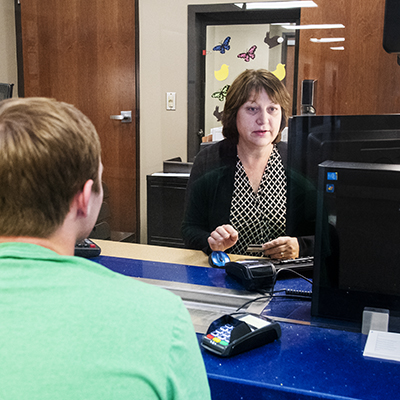
    A student is helped at the business office window.

    Pay in person

    • Visit the cashier at Tech in Building A, Huntoon campus.
      Tech Business Office hours

      Or the Business Office in Morgan Hall, Room 103-O.
      Washburn Business Office hours

      Accepted payment methods:

      • Cash
      • Check
      • Money order
      • PIN-based debit card
    Bell tower on campus with sky behind and fall trees in front

    Pay by mail

    • Mail a check or money order payable to Washburn University.

      Mail to:

      Washburn University Business Office
      1700 SW College Avenue
      Topeka, KS 66621

    Payment plan option

    If paying your tuition all at once isn't the best option, Washburn offers a convenient three-payment plan for Concurrent Enrollment students.

    With the payment plan, you can:

    • Split your tuition into three monthly payments
    • Schedule automatic payments
    • Have a parent or guardian enroll if they're an Authorized User
    A $20 enrollment fee is added to the payment plan balance.

    Payment plan enrollment closes each semester. If you miss the enrollment deadline, contact the Business Office to discuss your options.

    Students with balances not covered by a payment plan may be assessed a $25 late fee after the payment deadline.


    • Payment plans

    Access your student account

    You'll use MyWashburn to access your student account and make payments through WU-View.

    Instructions for accessing MyWashburn and WU-View

    1

    Activate your MyWashburn account

    After you've applied to and been admitted to Washburn, Information Technology Services will send instructions to the personal email address you provided during admission. Follow those instructions to activate your account.

    2

    Sign in to MyWashburn

    Log into MyWashburn using your activated account.

    3

    Open WU-View

    From the Student Account Information tile, select WU-View Login, then click Pay Now to access your payment portal.

    From WU-View, you can:

    • View your balance
    • Access eBills
    • Make payments
    • Enroll in a payment plan
    • Add Authorized Users

    Parents & authorized users

    Many parents and guardians help pay for Concurrent Enrollment courses. Because of the Family Educational Rights and Privacy Act (FERPA), Washburn can only discuss a student's account with the student or someone the student has designated as an Authorized User.

    Becoming an Authorized User allows a parent or guardian to:

    • View billing and payment information
    • Receive email notifications when new eBills are available
    • Make online payments
    • Enroll in a payment plan on the student's behalf
    • Speak with the Business Office about the student's account

    Add an Authorized User

    Students can add a parent or guardian in just a few steps.

    1. Sign in to MyWashburn and open WU-View from the Student Account Information tile.
    2. Select the Authorized Users tab.
    3. Enter your parent or guardian's email address.
    4. Choose the account permissions you want them to have.
    5. Review and accept the authorization agreement.

    Once added, your parent or guardian will receive two emails with instructions for accessing your account as an Authorized User.

    Important: Sharing your MyWashburn username and password does not make someone an Authorized User. Parents and guardians must be added through WU-View before the Business Office can discuss account-specific information with them.


    • Authorized user payment portal

    Account holds

    To keep your account in good standing, be sure to pay your balance by the published deadlines.

    Outstanding balances must be paid in full before official transcripts can be released. Students with a balance greater than $1,000 will not be able to enroll in a future Concurrent Enrollment term until the balance is reduced.

    Checking WU-View regularly is the best way to stay informed about your account balance and upcoming deadlines.

    FAQs

    How much does concurrent enrollment cost?

    CEP tuition is $125 per credit hour.

    Can my parent pay my bill?

    Yes. Parents can make payments online after they've been added as an Authorized User.

    Can I pay in installments?

    Yes. Washburn offers a three-payment plan for CEP students.

    What happens if I withdraw from a CEP class?

    If you withdraw during the published refund period, you may receive a refund. Refund deadlines for CEP differ from other Washburn courses. See the tuition refund schedule

    How do I access WU-View?

    Sign into MyWashburn, select the Student Account Information tile and choose WU-View Login.

    What happens if I don't pay my balance?

    Unpaid balances may result in late fees, transcript holds and restrictions on future enrollment.

    GET IN TOUCH WITH Concurrent Enrollment Partnership

    Address
    Morgan Hall Suite 105
    1700 SW College Ave.
    Topeka, KS 66621

    Phone & Email
    785.670.1820
    cep@washburn.edu

    Washburn Tech on Facebook Washburn Tech on Twitter Washburn Tech on YouTube Washburn Tech on LinkedIn
    Washburn University Logo
    Washburn Tech
    5724 SW Huntoon
    Topeka, Kansas 66604
    785.670.2010
    • Events & News
    • Tech Accommodations
    • Statements & Disclosures
    • Jobs
    • Directory
    • Site Map
    • Business & Community
    • Tech East

    Washburn University prohibits discrimination on the basis of race, color, religion, age, national origin, ancestry, disability, sex, sexual orientation, gender identity, genetic information, veteran status, or marital or parental status. The following person has been designated to handle inquiries regarding the non-discrimination policies: Equal Opportunity Director/Title IX Coordinator, Washburn University, 1700 SW College Ave, Topeka, Kansas 66621, 785.670.1509, eodirector@washburn.edu. For general questions about Washburn Tech please call 785.670.2010.

    Kansas Degree Stats
    back to top button